In-App Updates: Store Update Prompts for React Native
Creator and maintainer
An open-source package for the developers of React Native and Expo apps that tells people when a newer version of the app is in the App Store or Play Store. One component checks the store and opens a ready-made update prompt: a soft one people can put off or skip, or a forced one when an old version has to stop working. Developers can restyle it, rewrite its words or swap in their own design, and on Android the update can run inside the app through Google Play. I created it and I'm its only author: the store checks, the version rules, the prompt, and the Kotlin module behind Android in-app updates.
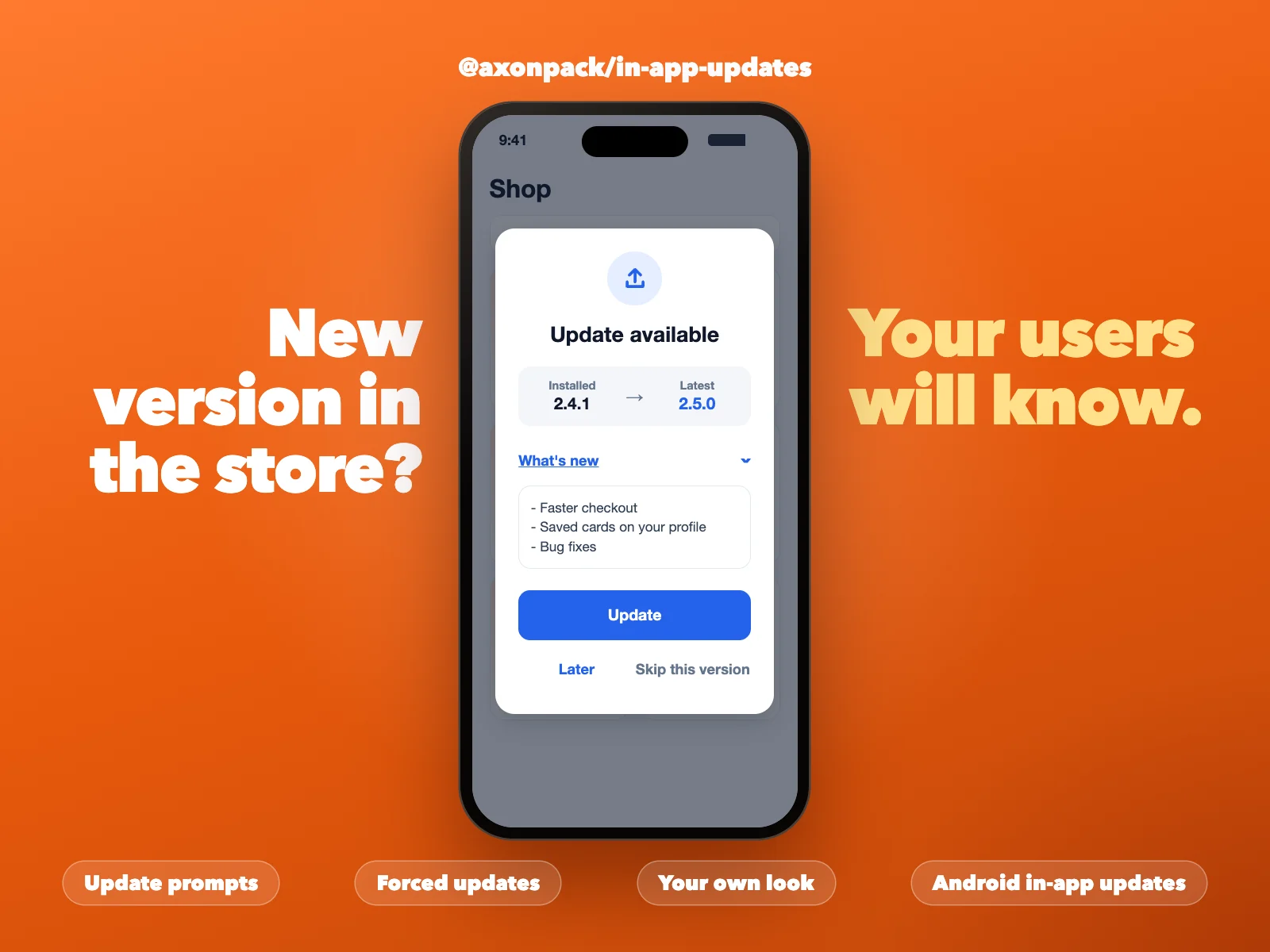
People hear about a new version as soon as it's in the store
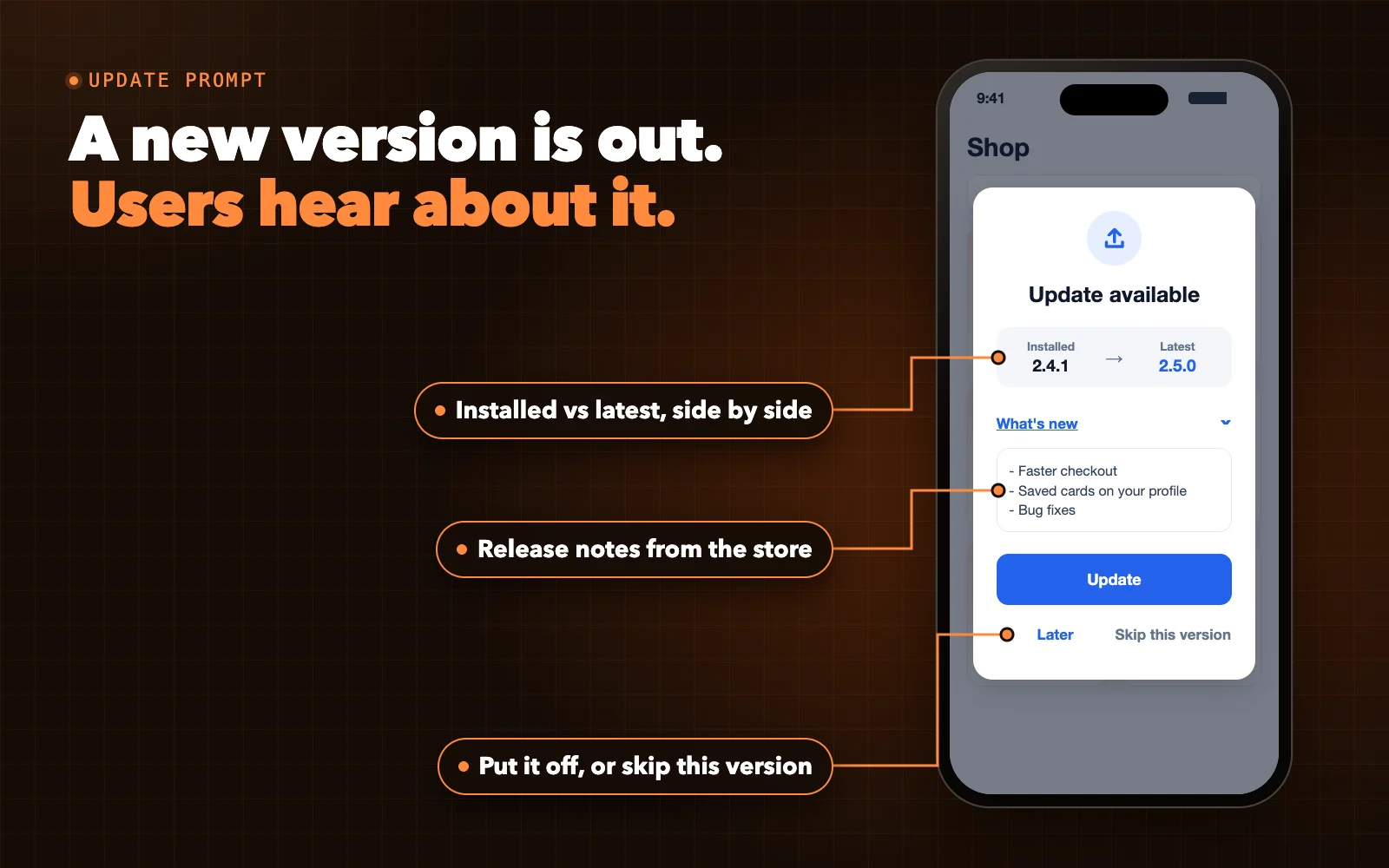
The app checks the store on its own and, when a newer version is out, shows a ready-made prompt with what changed.
- Reads the latest version from the App Store, the Play Store or your own endpoint, and tries the next source when one fails
- Shows the installed and latest versions side by side, with the release notes under What's new
- Checks again when people come back to the app, and remembers the answer for a few minutes
- Understands dates, calendar versions, beta tags and build numbers, and can leave small patch releases alone
- Looks in a fallback country's store when the app isn't listed in the local one
Retire old versions with a forced update
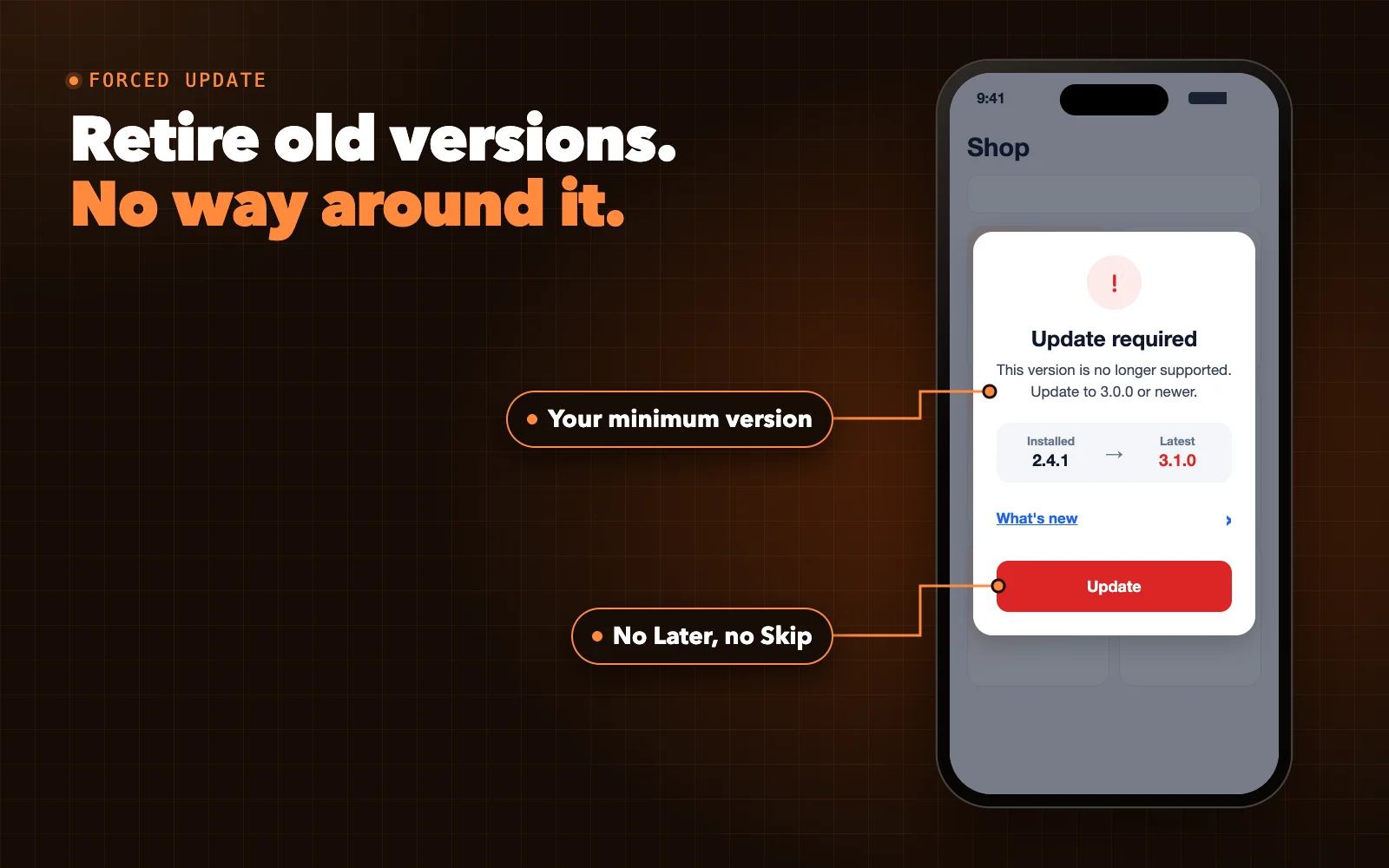
When an old version has to stop, the prompt turns red, shows only Update and can't be closed.
- Force everyone below a minimum version you set
- Or force by size of release: every update, major only, minor and up, or your own rule, or let your endpoint flag it
- A forced prompt has no Later or Skip, and the Android back button doesn't close it
- Soft updates can be put off for now or skipped until the next version, remembered across launches
- Turn skipping off when every soft update should be seen
The ready-made prompt in your style, or your own
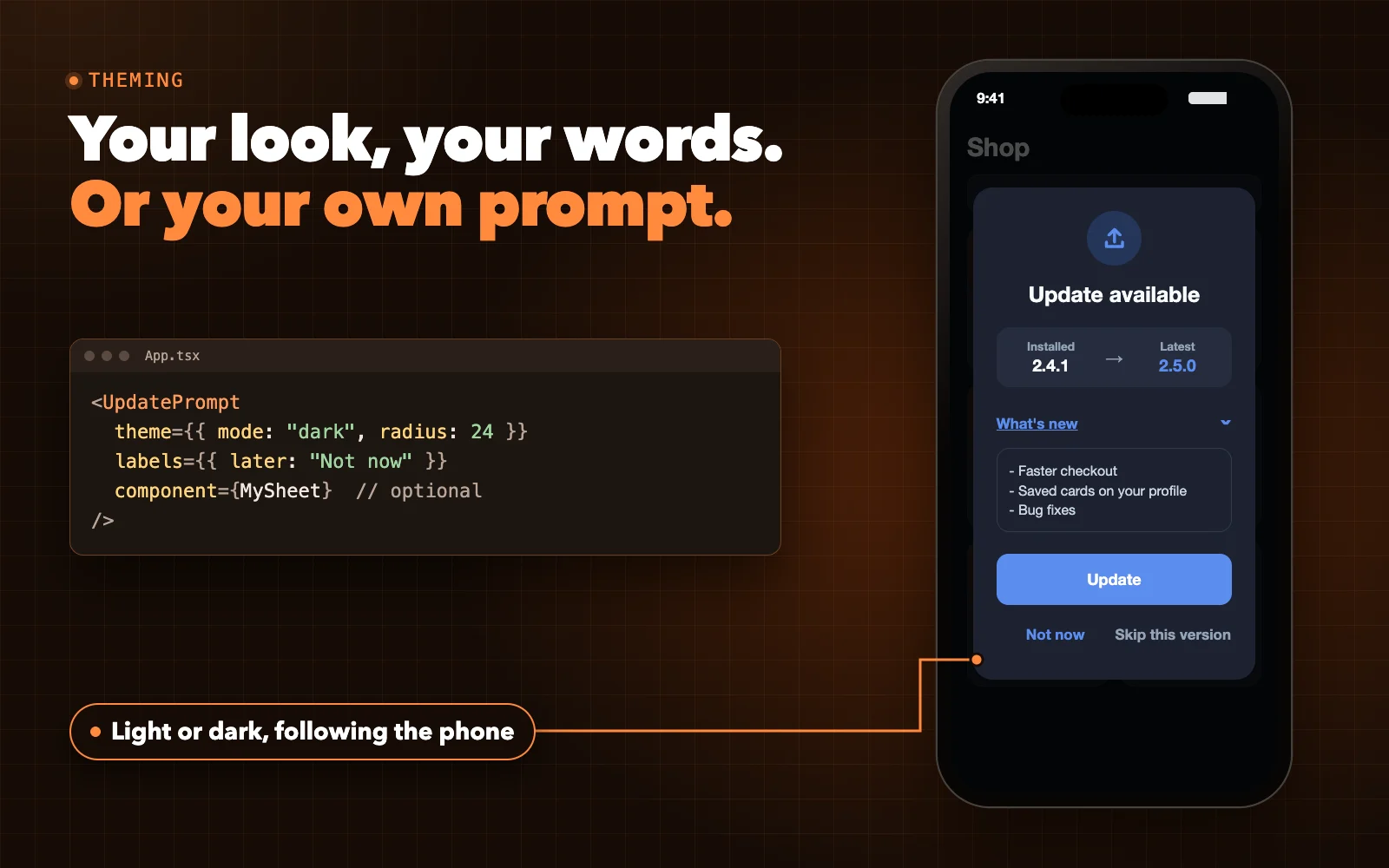
Use the built-in prompt in your app's colours and words, or draw your own and keep all the checking behind it.
- Light and dark mode, following the phone or pinned to one
- Set colours, corner radius, width and fonts, and swap the icon
- Change every label, for tone or translation
- Pass your own prompt, or use the hook, and keep the checking, skipping and refreshing
- Fake a release in a development build to see every state, without it ever reaching a release build
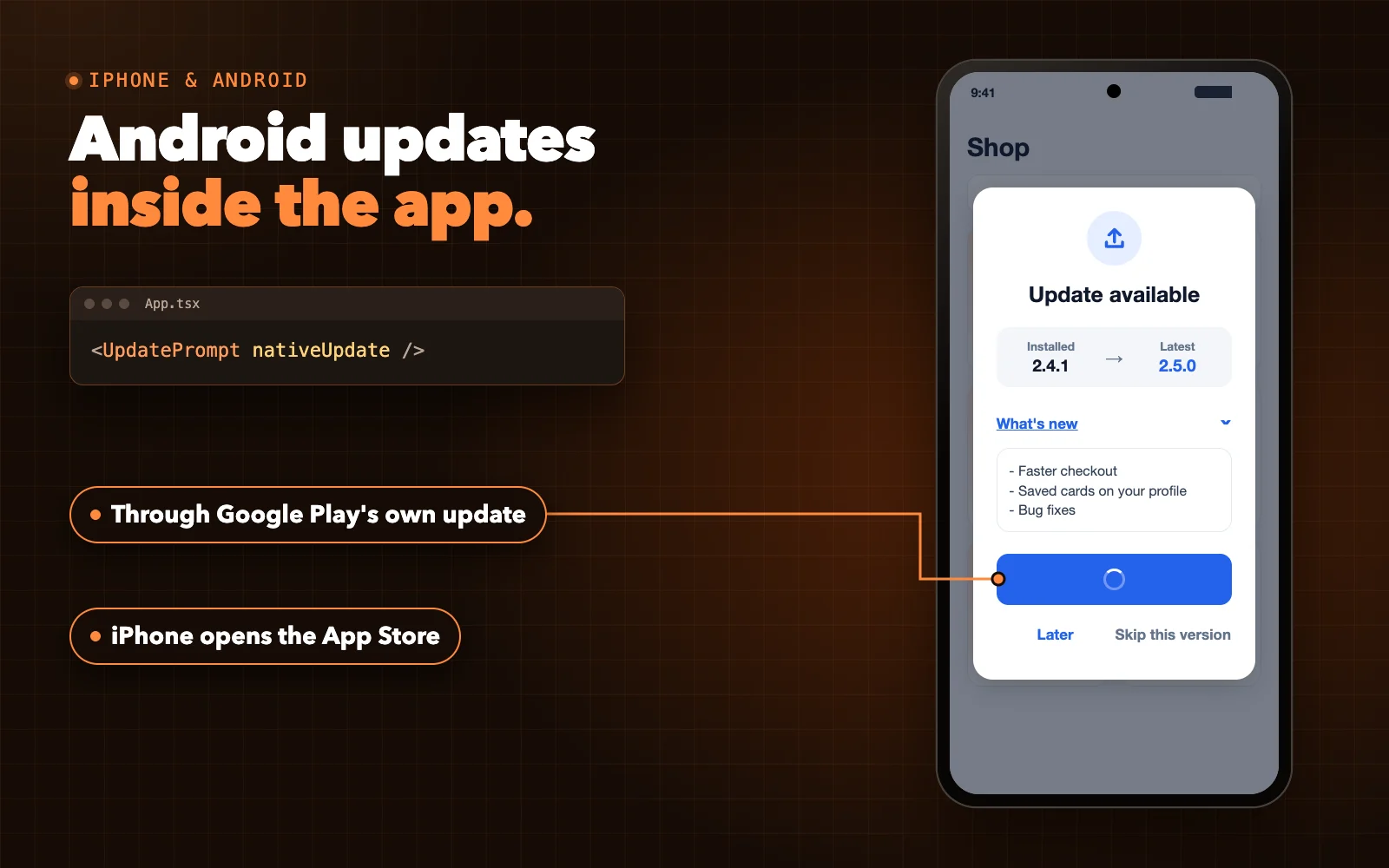
iPhone and Android, each the right way
On Android the update can run inside the app through Google Play; on iPhone, Update opens the App Store page.
- Download the update in the background while people keep using the app, then install and restart
- Forced updates use Google Play's full-screen update, others the background one, picked for you
- Picks up an update left half done, or installs one that already finished downloading
- Falls back to the store page when Google Play can't help, and on iPhone, where no in-app update exists
- Try every Google Play outcome with a stand-in Play in debug builds
Notable contributions
- Built the store check: App Store, Play Store or your own endpoint, tried in order, with caching, retries and clear errors
- Built version comparison that reads dates, calendar versions, beta and canary tags and build numbers
- Built forced updates and skipping: minimum versions, rules by size of release, and skipped versions remembered across launches
- Built the ready-made update prompt with light and dark mode, theme settings and editable labels, plus a hook for your own design
- Built Android in-app updates in a Kotlin module, in the background or full screen, with a stand-in Play to test every outcome
- Built development mocks that can never reach a release build, and an example app with every state of the prompt
Those are the highlights. There's plenty more I've worked on across this project, big and small, and I'm still building on it.