Property Inspection Reports: AI Web & Mobile Platform
Full-Stack & Mobile App Developer
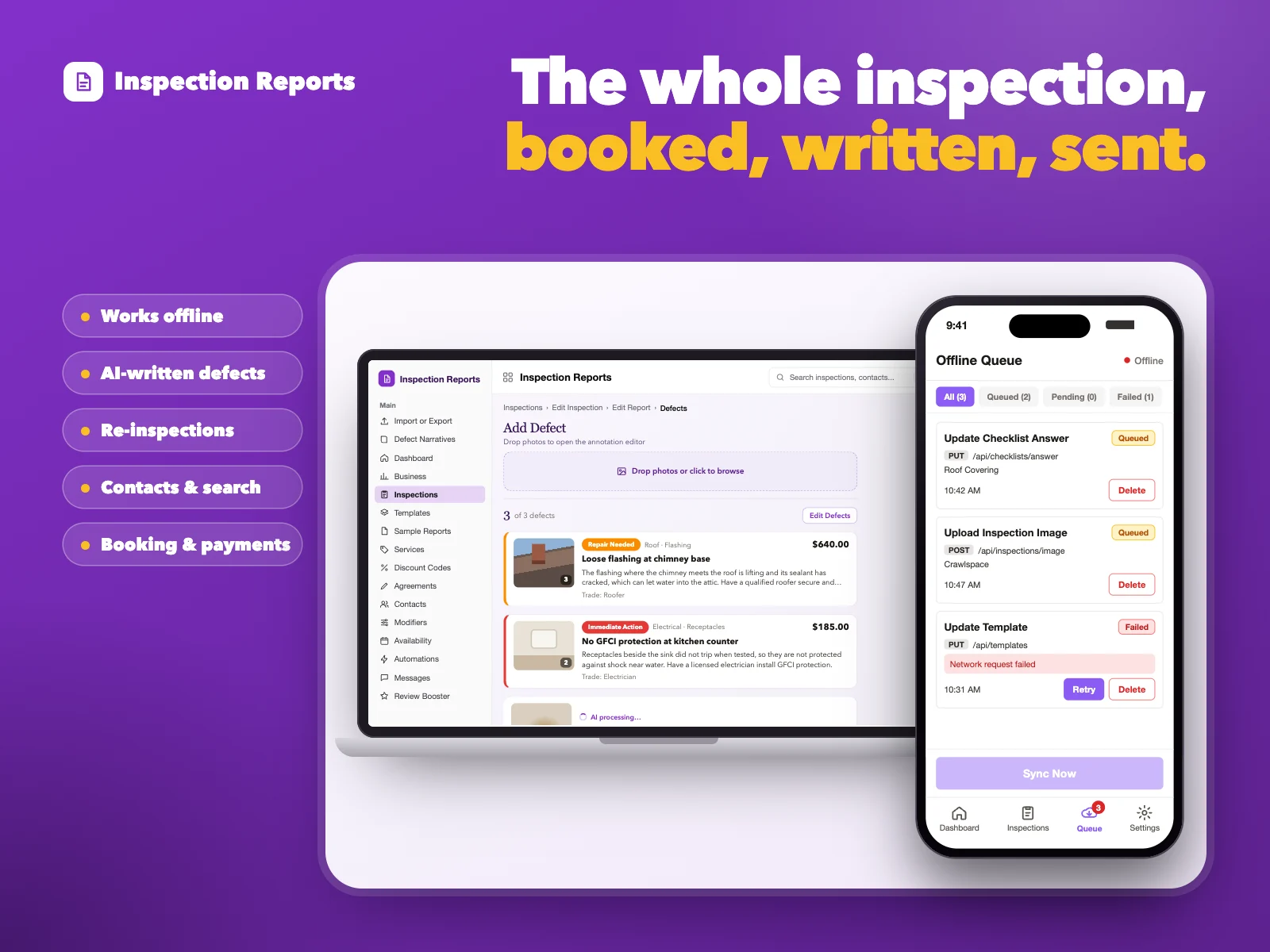
A platform for property inspection companies: a web back office and an iOS and Android field app for their inspectors. It covers the whole job. Clients book online, pay and sign their agreements through a private link, and automated emails and texts keep them and their agents up to date. On site, inspectors capture each problem with photos and a few spoken words, and AI drafts the write-up, with an optional repair-cost estimate, before the report is published. Company owners, office staff and inspectors share one account per company; clients and agents never need to sign in. I was the main developer of the field app: I made it keep working with no signal, built its camera and its re-inspections, maintained it and shipped it to Google Play. On the web, I built contact import and export and the global search, and worked on the inspection pages, photo markup and online booking.
Inspections in the field, signal or not
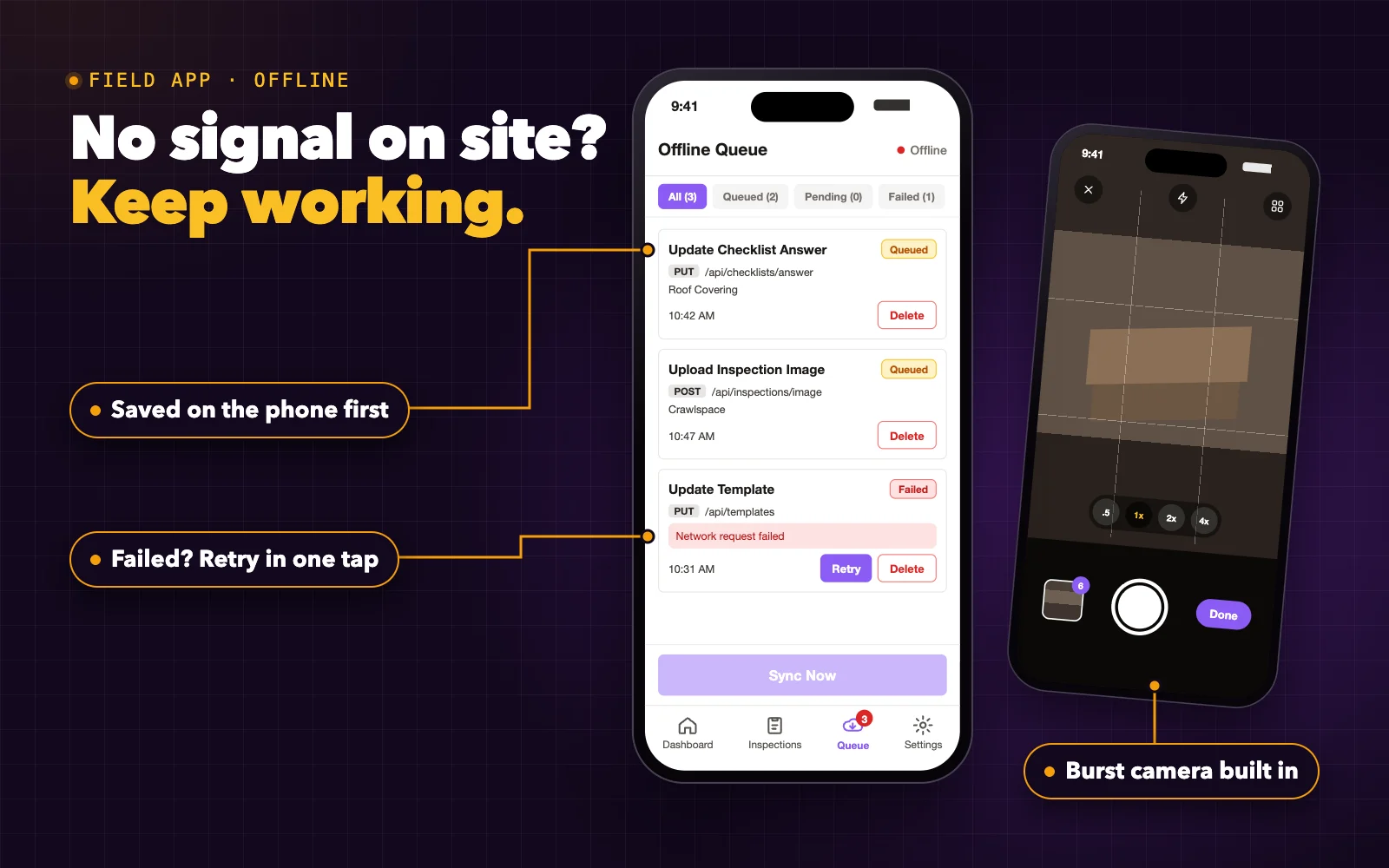
Inspectors work on site in the field app, and nothing they do is lost when the connection drops.
- Edits, checklist answers, photos and defects are saved on the phone first and sent automatically when the connection comes back
- A Queue tab shows everything still waiting, with a badge, filters, and Retry or Delete on each item
- Photo uploads pick up where they left off after the app is closed or restarted
- Jobs, reports and defects already opened stay readable with no signal
- A built-in burst camera takes many photos in a row, with zoom, flash, a grid and gallery picks on the same screen
Defects written up by AI, from photos and a few words
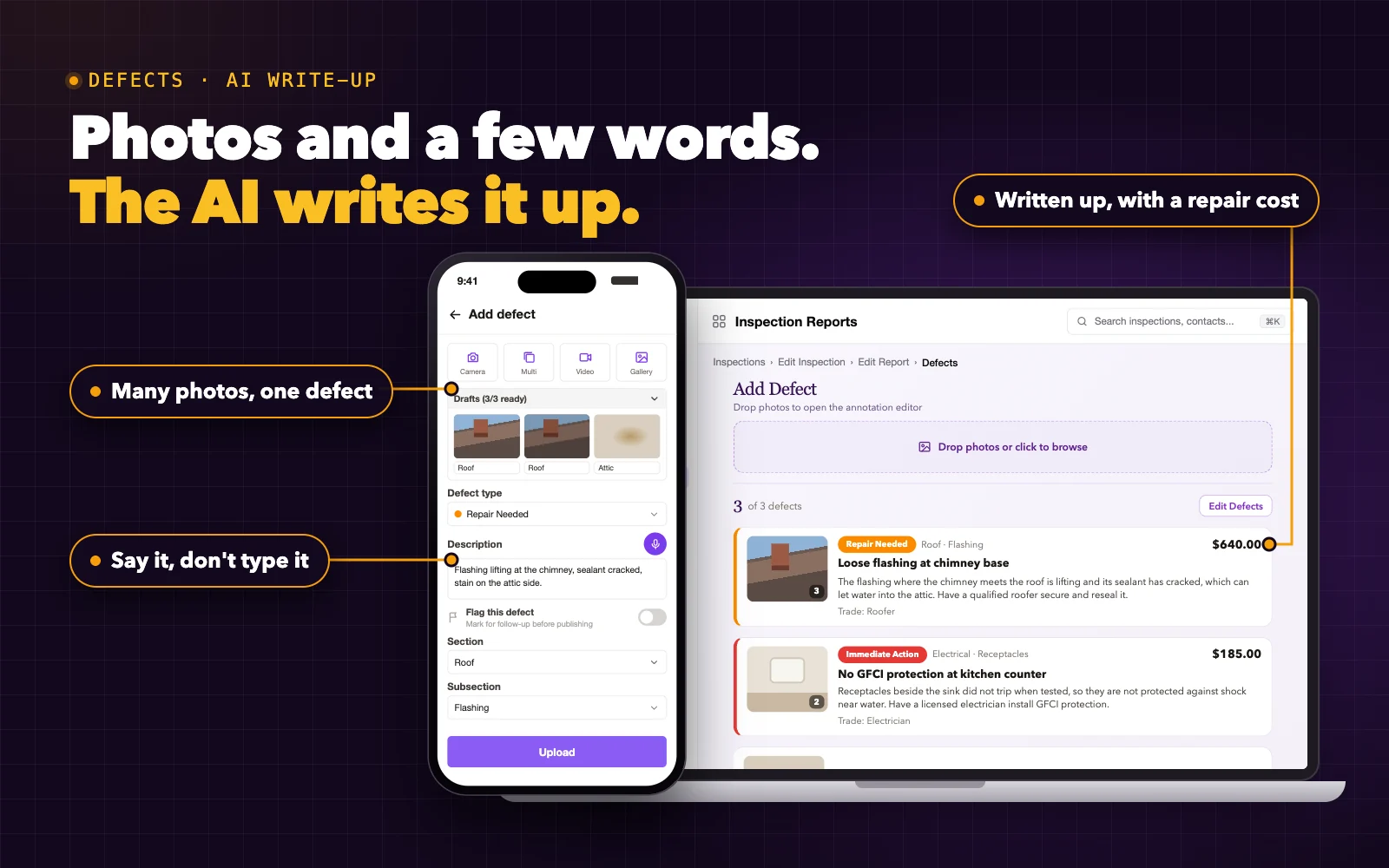
Inspectors capture a problem with photos and a short note, and the AI drafts the write-up while they keep working.
- Add several photos and videos to one defect, on the phone or in the web Defect Manager
- Mark up photos with arrows and shapes in the severity's colour, plus freehand drawing on the phone, and tag each photo with a location
- Dictate the description instead of typing it
- The AI writes the title, description, recommendation, severity and trade, and can add a repair-cost estimate
- Drafts follow each inspector's own wording, learned from the reports they publish
Re-inspections after the repairs
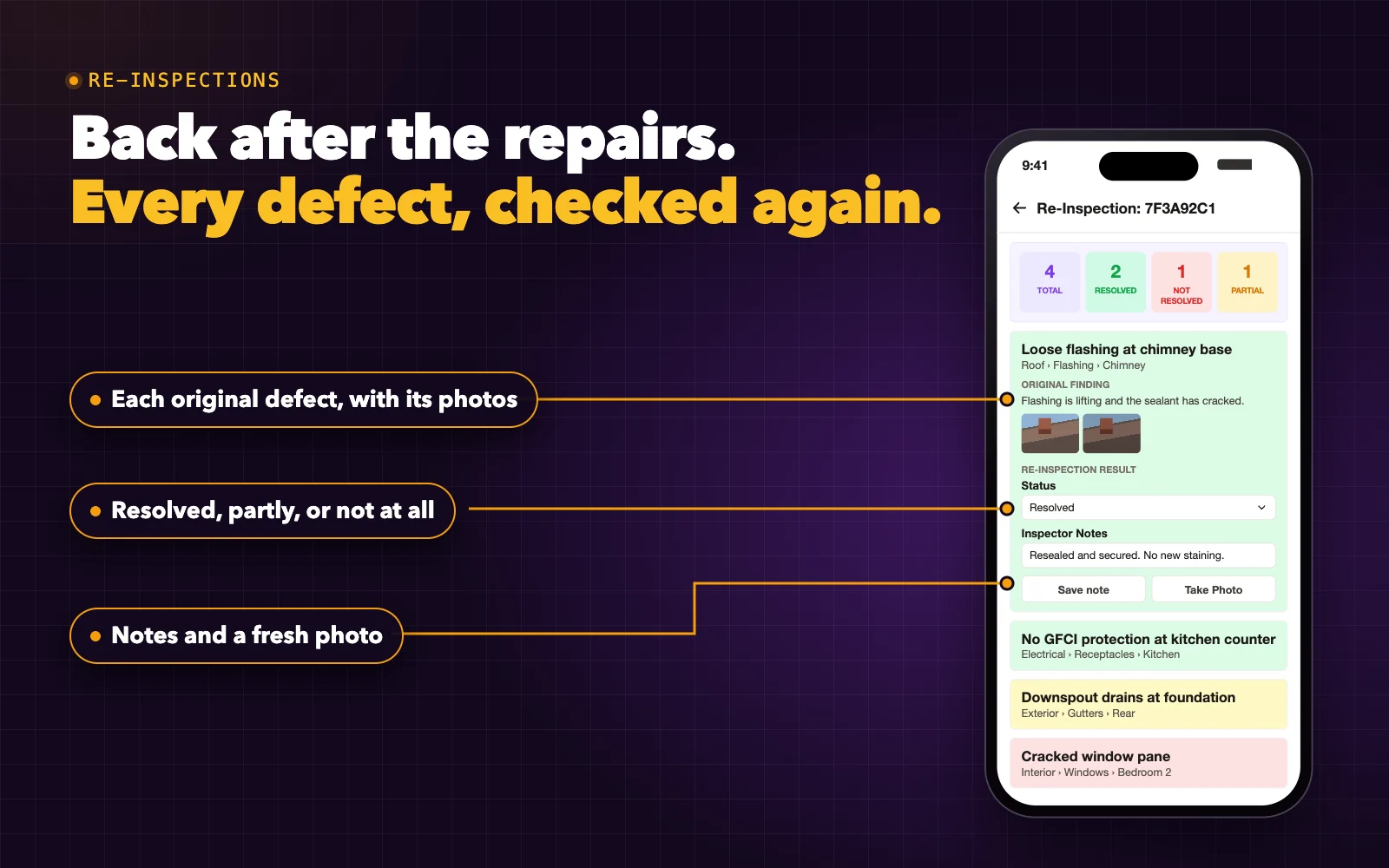
When repairs are done, the inspector goes back and checks every original defect again in the field app.
- Open a published job's re-inspections, newest first, with how many items are resolved
- Mark each defect Resolved, Not Resolved, Partially Resolved or Not Accessible, with notes and an updated photo
- Statuses and notes save with no signal and sync later
- Publish the re-inspection as an addendum once every item is reviewed, and it locks
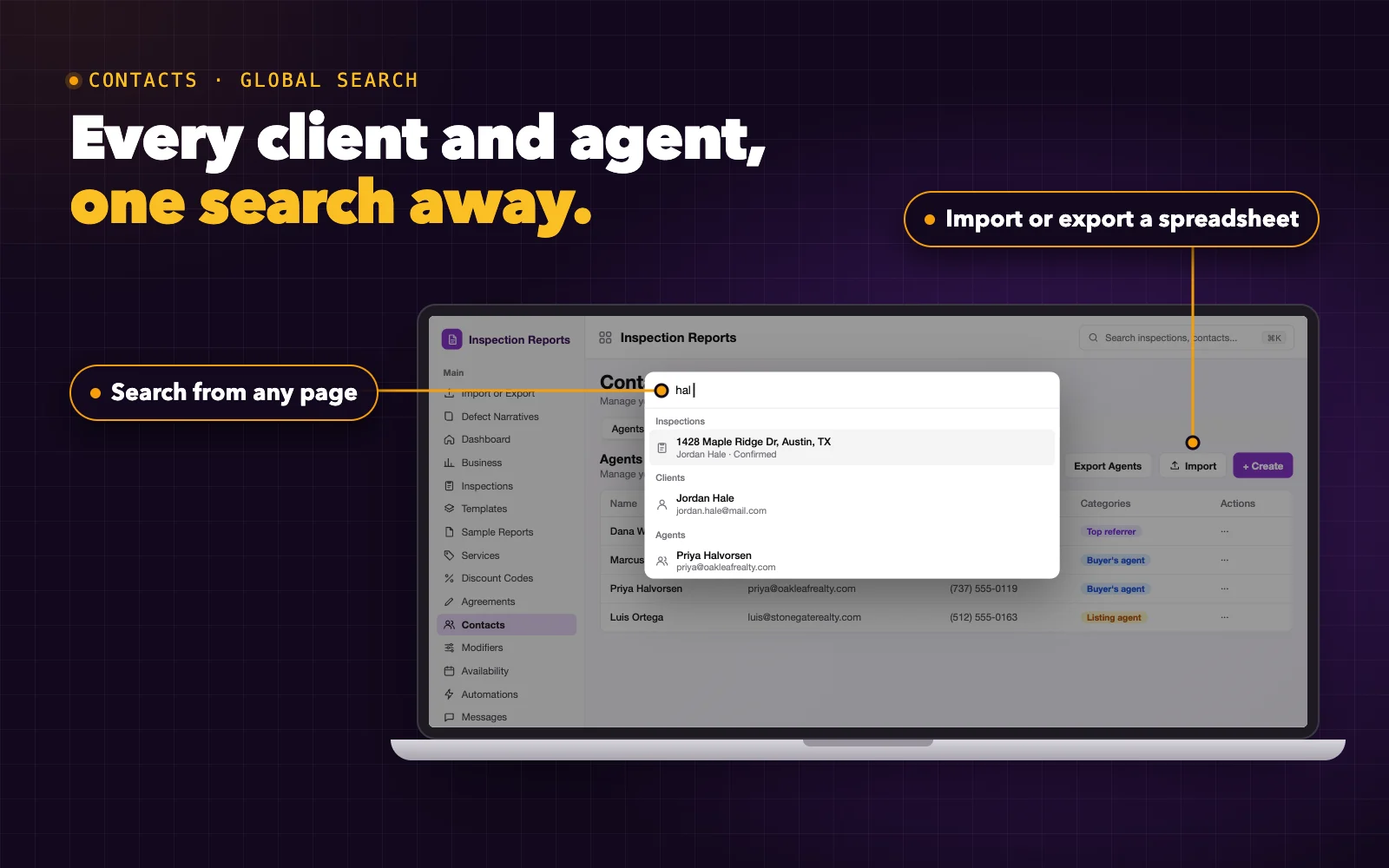
Every contact and record, one search away
The office keeps clients, agents and everyone else on a deal in one address book, and finds anything from any page.
- Clients, agents, agent teams, agencies and other parties to a deal, such as attorneys and title companies
- Tag contacts with coloured categories that automations can use as conditions
- Import contacts from a spreadsheet: each row is checked, duplicates are found, and agents are linked to their agency and team
- Export clients, agents or other contacts to a spreadsheet
- Press Cmd/Ctrl-K anywhere to search inspections, contacts, services, templates, automations and settings
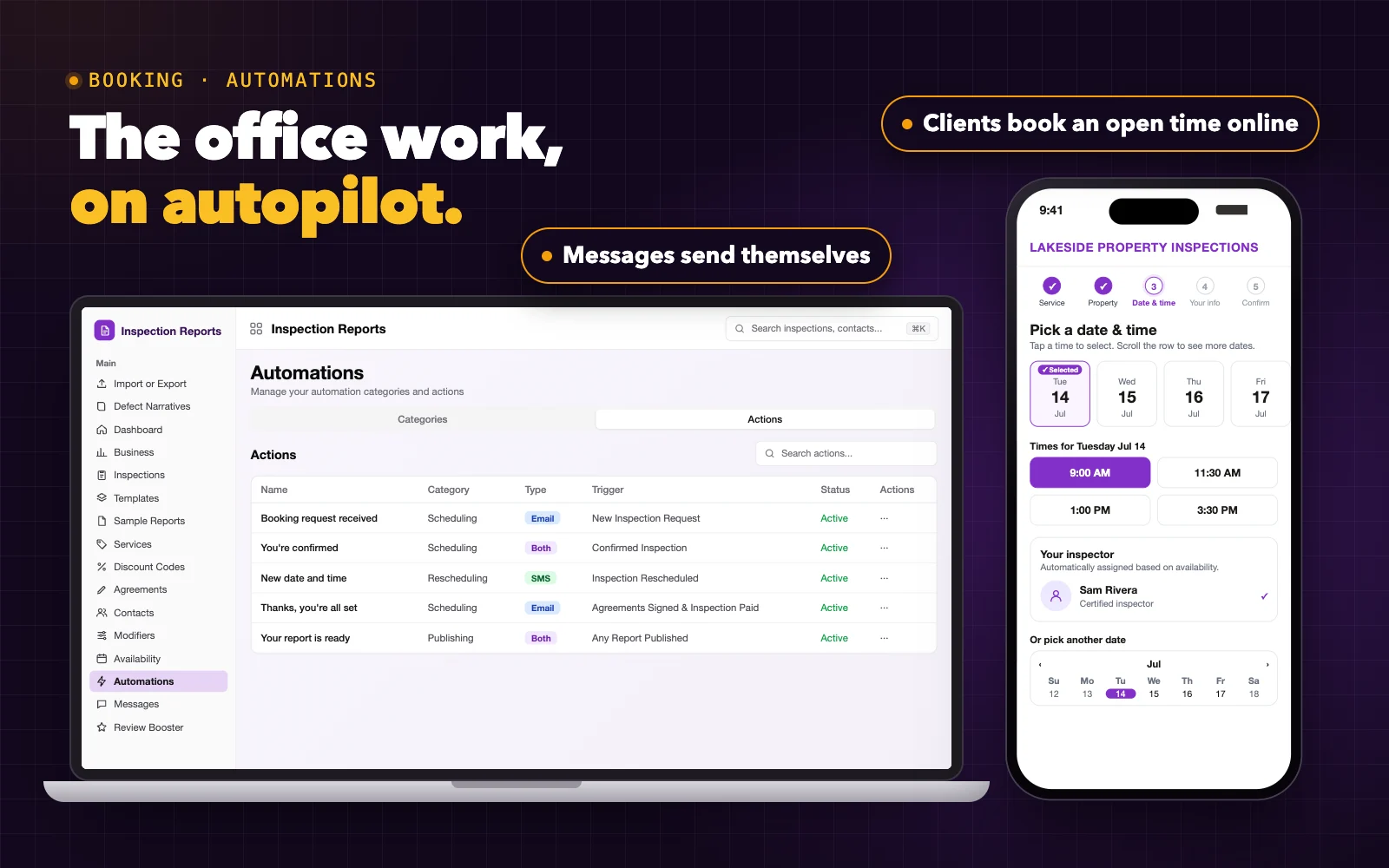
Booking, payments and client messages on autopilot
Clients book online, pay and sign through a private link, and automated emails and texts keep everyone up to date.
- Each company gets a booking page: pick a service, enter the property, choose an open time and confirm
- Clients pay by card or bank transfer, sign agreements and download the invoice from their private link
- Automations send an email or text when a job is booked, confirmed, rescheduled, paid or published
- Conditions, timing and business hours decide who gets each message, and when
- Send any message to yourself first to see what a client will get
Notable contributions
- Built the field app's offline layer: every change is saved on the phone first, sits in a queue the inspector can watch and retry, and sends itself when the signal returns
- Built photo uploads that survive app restarts, and on-phone storage that checks and repairs itself at every start
- Built the in-app burst camera, with zoom presets, flash, a grid and gallery picks on one screen
- Built multi-photo defect capture that keeps a half-finished defect, with a location and 360° tag per photo
- Built re-inspections in the field app: review each original defect, add notes and photos, and publish the addendum
- Built contact import and export from spreadsheets, with per-row checks, duplicate detection and agents matched to their agency and team
- Built the global search across the web back office, opened with Cmd/Ctrl-K
- Built the price engine that quotes inspections from property facts, and worked on the inspection pages, photo markup, agreement signing and online booking
Those are the highlights. There's plenty more I've worked on across this project, big and small.